
TL;DR
Complete guide to implementing MCP in production. Architecture, security, multi-agent orchestration, and enterprise deployment patterns.
Why the Model Context Protocol Changes Everything for Enterprise AI Integration
Enterprise AI teams building production agent systems face a compounding integration problem that grows more expensive with every new tool connection. Each API integration requires custom authentication logic, bespoke data transformation layers, error handling specific to that vendor's failure modes, and ongoing maintenance as APIs evolve. For organizations running 10-15 enterprise tools—CRMs, databases, code repositories, communication platforms, document stores—this creates an N x M integration matrix where N language models each need custom connectors to M tools. The result is an exponentially growing web of brittle, one-off integrations that consume engineering resources without delivering compounding value.
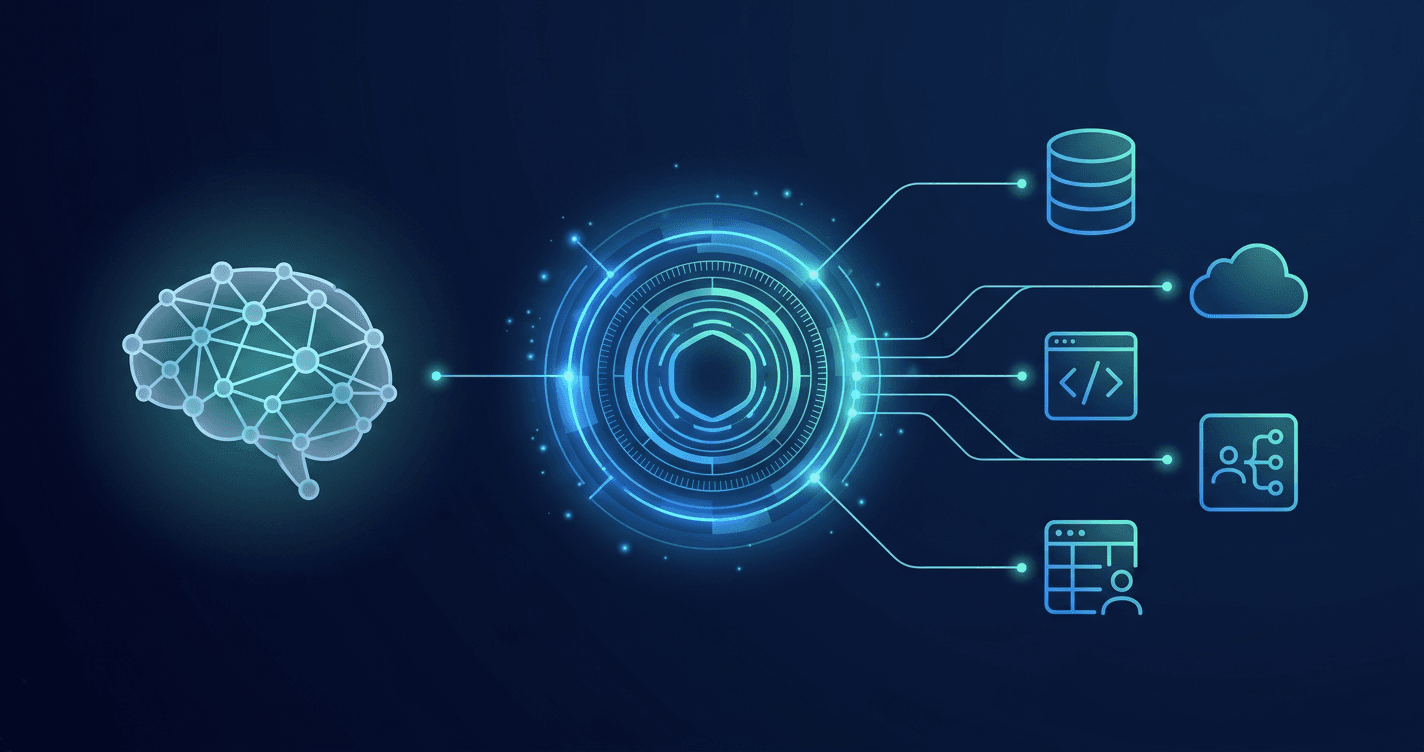
The Model Context Protocol (MCP), released as an open standard by Anthropic in November 2024, directly addresses this architectural bottleneck. Rather than building point-to-point connections between every AI model and every tool, MCP introduces a universal interface layer—analogous to what USB did for hardware peripherals or what HTTP did for web services. Any AI application that speaks MCP can connect to any MCP-compatible tool server without custom integration code. With over 97 million SDK downloads as of early 2026 and adoption by 50+ enterprise technology partners including Salesforce, ServiceNow, Workday, Accenture, and Deloitte, MCP has moved from experimental protocol to production infrastructure faster than most enterprise standards.
But the strategic implications extend far beyond reducing integration costs. MCP fundamentally reshapes how enterprises architect production-ready agentic AI systems—enabling multi-agent orchestration patterns, standardized security controls, and vendor-portable agent architectures that weren't practically achievable with custom integrations. Organizations that understand these architectural implications are deploying AI agents 40-60% faster than those still building point-to-point connections, according to early adoption data from enterprise implementations.
This guide provides a comprehensive enterprise implementation framework for MCP, covering architecture design, security hardening, multi-agent orchestration, performance optimization, and production deployment patterns. We draw on production experience from enterprise agent orchestration deployments to move beyond theoretical protocol descriptions into practical implementation guidance that addresses the real challenges enterprise teams face when adopting MCP at scale.
The Integration Complexity Problem: Why Custom API Connections Don't Scale
Before examining MCP's architecture, it's essential to understand the precise nature of the problem it solves—because the cost of the N x M integration matrix is often dramatically underestimated by engineering leadership. Consider a typical enterprise AI deployment: a customer support automation system that needs to access a CRM (Salesforce), a ticketing system (ServiceNow), a knowledge base (Confluence), a communication platform (Slack), and an internal database. Each integration requires:
- Authentication management — OAuth flows, API key rotation, token refresh logic, and credential storage per vendor
- Schema mapping — Translating between the AI model's expected input/output format and each vendor's unique data structures
- Error handling — Vendor-specific retry logic, rate limit management, timeout configurations, and graceful degradation
- Version management — Tracking API deprecations, handling breaking changes, and maintaining backward compatibility
- Testing infrastructure — Mock servers, integration tests, and sandbox environments per vendor
Boston Consulting Group's analysis of enterprise AI integrations reveals the core scaling problem: without a standardized protocol, integration complexity rises quadratically as you add models and tools. With MCP, complexity scales linearly. The crossover point—where MCP becomes more cost-effective than custom integrations—occurs at just 3-5 tool integrations, a threshold that virtually every enterprise AI deployment exceeds.
The hidden costs compound further when you factor in organizational dynamics. Each custom integration typically becomes the domain expertise of 1-2 engineers who built it. When those engineers leave or rotate teams, knowledge transfer costs spike. Meanwhile, every new AI model the organization wants to evaluate requires rebuilding integrations from scratch—a barrier that effectively creates vendor lock-in not through contractual obligations but through accumulated technical debt.
Organizations building AI agents for business automation consistently report that integration maintenance consumes 35-45% of their AI engineering budget—resources that could otherwise be invested in improving agent capabilities, expanding use cases, or optimizing performance. MCP's value proposition isn't just about making integrations easier; it's about fundamentally restructuring how engineering resources are allocated across AI initiatives.
MCP Architecture Deep Dive: How the Protocol Actually Works
MCP follows a client-server architecture with three distinct participants, each serving a specific role in the communication flow. Understanding these roles is critical for enterprise architects because they map directly to deployment topology decisions, security boundary definitions, and scaling strategies.
MCP Hosts are the AI applications that users interact with directly—IDEs like VS Code or Cursor, chat interfaces, or custom enterprise applications. The host manages the user session, coordinates between multiple MCP clients, and enforces top-level authorization policies. In enterprise deployments, the host is typically the component that integrates with your identity provider (IdP) and applies role-based access controls (RBAC).
MCP Clients are protocol-aware components embedded within the host that maintain persistent 1:1 connections with specific MCP servers. Each client handles the JSON-RPC 2.0 message exchange, capability negotiation, and connection lifecycle for a single server. The client-server relationship is stateful—once established, the connection supports bidirectional communication including server-initiated notifications and progress updates. This is a deliberate architectural choice that enables real-time tool interactions (like streaming database query results) that stateless HTTP APIs cannot efficiently support.
MCP Servers are lightweight programs that expose specific tool capabilities through the standardized MCP interface. A Salesforce MCP server, for example, translates MCP tool calls into Salesforce REST API requests, handles authentication with Salesforce, and returns results in MCP's standard format. Critically, MCP servers can run locally (as a subprocess of the host application) or remotely (as a network service), giving enterprises flexibility in their deployment topology.
The protocol operates over two transport mechanisms:
- stdio (Standard I/O) — The server runs as a child process of the host, communicating through stdin/stdout pipes. This is ideal for local development, desktop applications, and scenarios where the server needs access to the local filesystem. Latency is negligible (sub-millisecond) since communication is in-process.
- HTTP with Server-Sent Events (SSE) — The client sends requests via HTTP POST and receives responses through an SSE stream. This supports remote server deployments, cloud-hosted MCP servers, and scenarios requiring network-level load balancing. The SSE transport was recently enhanced with Streamable HTTP transport in the 2025-03-26 protocol revision, adding support for stateless server interactions and resumable connections.
Every MCP interaction follows a defined lifecycle: initialization (capability negotiation), operation (tool calls, resource reads, prompt requests), and shutdown (graceful connection termination). During initialization, the client and server exchange their supported protocol versions and capabilities, establishing what operations are available for the session. This capability negotiation pattern—borrowed from language server protocols like LSP—ensures backward compatibility as the protocol evolves.
The Three Primitives: Tools, Resources, and Prompts
MCP exposes server capabilities through three fundamental primitives, each serving a distinct purpose in the AI interaction model. Enterprise architects must understand these distinctions because they determine how capabilities are composed, how permissions are scoped, and how the AI model interacts with external systems.
Tools are model-controlled functions that perform actions or computations. When an AI agent needs to create a Jira ticket, query a database, or send an email, it invokes a tool. Tools are the most powerful primitive because they can have side effects—they can modify external state, trigger workflows, or initiate processes. Because of this, tools require explicit user approval in most MCP implementations, following the protocol's human-in-the-loop security principle. Tools are described with JSON Schema input definitions, enabling the AI model to understand what parameters are required and what types they accept.
Resources are application-controlled data sources that provide context to the AI model. Unlike tools, resources are read-only and don't have side effects. They're analogous to GET endpoints in REST APIs. A resource might expose the contents of a file, the current state of a database table, or the latest entries in a log stream. Resources support URI-based addressing (e.g., file:///project/src/main.py or postgres://db/users/table), making them natural to compose and reference. Resources can also include MIME type metadata, enabling the AI model to understand whether it's receiving text, JSON, an image, or another format.
Prompts are user-controlled templates that define reusable interaction patterns. They're essentially parameterized prompt templates that the server provides, which the user can invoke in the host application. For example, a code review MCP server might expose a review-pr prompt that accepts a pull request URL and generates a structured review workflow. Prompts bridge the gap between raw tool capabilities and high-level user workflows.
The distinction between model-controlled (tools), application-controlled (resources), and user-controlled (prompts) primitives is not merely taxonomic—it defines the security trust model. In enterprise security architectures, this three-tier control model maps directly to authorization policies: tools require explicit agent permissions, resources follow data access policies, and prompts are governed by user role definitions.
Enterprise Security Architecture: Zero-Trust MCP Deployment
Security is the primary concern for enterprise MCP adoption, and rightfully so. MCP servers act as capability gateways—they mediate access between AI agents and enterprise systems that contain sensitive data, customer information, and business-critical operations. A misconfigured MCP server could expose a CRM's customer database, allow unauthorized ticket modifications, or enable data exfiltration through seemingly innocent tool calls.
The MCP specification addresses security through several architectural principles, but enterprise deployments require additional hardening beyond the baseline protocol:
1. OAuth 2.1 Authorization Framework
The March 2025 protocol revision standardized MCP's authorization layer on OAuth 2.1, replacing the previous ad-hoc authentication approaches. This means MCP servers can integrate with enterprise identity providers (Okta, Azure AD, Auth0) using standard OAuth flows. The authorization server issues scoped tokens that limit what capabilities a specific agent session can access—a Salesforce MCP server might grant read-only access to contacts but deny access to financial records, based on the authenticated user's role.
For enterprise deployments, this OAuth integration should connect to your existing Single Sign-On (SSO) infrastructure:
// Example: MCP server OAuth configuration for enterprise SSO
{
"authorization": {
"type": "oauth2",
"issuer": "https://your-company.okta.com/oauth2/default",
"clientId": "mcp-agent-platform",
"scopes": {
"salesforce:read": "Read CRM data",
"salesforce:write": "Modify CRM records",
"jira:read": "Read project tickets",
"jira:write": "Create and update tickets"
},
"tokenEndpoint": "https://your-company.okta.com/oauth2/default/v1/token",
"requirePKCE": true
}
}2. Virtual Server Architecture for RBAC
One of MCP's more sophisticated security patterns is the virtual server architecture, where a single physical MCP server presents different capability sets to different users based on their roles. Instead of deploying separate server instances per role, the server dynamically filters its tool and resource listings during the capability negotiation phase. A junior analyst might see read-only query tools, while a senior engineer gets full CRUD capabilities—all from the same server deployment.
This pattern is critical for enterprise scale because it avoids the operational overhead of managing dozens of role-specific server deployments while maintaining granular access control:
// Virtual server RBAC example
class EnterpriseMCPServer {
async listTools(session: AuthenticatedSession): Promise<Tool[]> {
const userRole = session.claims.role;
const allTools = this.getRegisteredTools();
return allTools.filter(tool => {
const requiredPermission = tool.metadata.requiredPermission;
return this.rbacEngine.hasPermission(userRole, requiredPermission);
});
}
}3. Input Validation and Prompt Injection Defense
MCP servers must treat all incoming tool call arguments as untrusted input, regardless of whether they originate from an AI model or a user. This is because prompt injection attacks can cause AI models to construct malicious tool calls that bypass intended usage patterns. Enterprise MCP servers should implement:
- Schema-level validation — Reject any tool call that doesn't match the declared JSON Schema, including type checking, range validation, and pattern matching
- Semantic validation — Verify that the requested operation is logically consistent (e.g., a user shouldn't be able to delete records they don't own, even if the schema technically allows the delete operation)
- Rate limiting per tool — Prevent automated abuse by limiting how frequently specific tools can be invoked within a session
- Audit logging — Record every tool invocation with full context (who, what, when, parameters, result) for compliance and forensic analysis
4. Transport-Level Security
For remote MCP servers (HTTP+SSE transport), all connections must use TLS 1.3 with certificate pinning in high-security environments. The protocol specification requires that remote servers validate the Origin header on incoming connections to prevent DNS rebinding attacks—a critical but often overlooked security measure. Enterprise deployments should additionally implement mutual TLS (mTLS) for server-to-server MCP connections within the infrastructure.
These security patterns align with the defense-in-depth approach we've documented for enterprise RAG security architectures, where multiple independent security layers ensure that a single point of failure doesn't compromise the entire system.
Multi-Agent Orchestration with MCP: Scaling Beyond Single-Agent Systems
The most transformative enterprise application of MCP isn't connecting a single AI agent to tools—it's enabling multi-agent orchestration where specialized agents collaborate through shared MCP infrastructure. This is where the protocol's architecture reveals its full strategic value, and where organizations building agentic AI enterprise frameworks see the greatest return on their MCP investment.
Consider an enterprise customer success workflow that spans multiple systems:
- A triage agent monitors incoming support tickets via a ServiceNow MCP server, classifying severity and extracting key details
- A research agent queries the knowledge base via a Confluence MCP server and retrieves relevant customer history from a Salesforce MCP server
- A resolution agent drafts responses, creates follow-up tasks, and escalates critical issues to human operators
- A QA agent reviews the resolution for accuracy, compliance, and tone before sending
Without MCP, each of these agents would need its own custom integrations to ServiceNow, Confluence, Salesforce, and the internal communication platform. With MCP, all four agents connect to the same MCP server instances, sharing connection pools, authentication tokens, and cached data. The agents themselves can focus on their specialized reasoning tasks while MCP handles the integration complexity.
The multi-agent orchestration pattern with MCP follows several proven architectures:
Hub-and-Spoke: A central orchestrator agent delegates tasks to specialized agents, each connected to relevant MCP servers. The orchestrator manages workflow state, handles failures, and coordinates results. This pattern is best for workflows with clear sequential dependencies.
Mesh Architecture: Agents communicate peer-to-peer through shared MCP resources, using a message bus or shared state store as the coordination layer. Each agent publishes its results as MCP resources that other agents can consume. This pattern excels for workflows where multiple agents need to collaborate on a shared context.
Hierarchical Delegation: Senior agents break down complex tasks and delegate to junior agents, each with progressively narrower MCP server access. A planning agent might have broad read access across all systems, while execution agents only have write access to their specific domain. This pattern maps naturally to enterprise RBAC hierarchies and is the recommended approach for enterprise agent orchestration deployments.
MCP vs. Custom API Integrations: A Quantitative Comparison
Enterprise decision-makers need concrete data to justify the investment in MCP adoption. The following comparison synthesizes findings from early enterprise deployments and protocol benchmarks to provide a realistic picture of the trade-offs.
Development Velocity
Building a custom API integration for a new enterprise tool (including authentication, error handling, schema mapping, and testing) typically requires 2-4 weeks of engineering time for a production-ready implementation. Connecting an existing MCP server takes 1-3 days for configuration, security review, and deployment. For organizations needing to integrate 10+ tools, this translates to a 40-60% reduction in total integration development time.
Runtime Performance
MCP introduces a protocol abstraction layer between the AI model and the underlying API, which adds latency. Benchmark measurements show:
- stdio transport: Sub-millisecond overhead (negligible for all practical purposes)
- HTTP+SSE transport: 5-15ms overhead per tool call, primarily from JSON-RPC serialization and capability validation
- Connection pooling mitigation: The persistent connection model means the initial handshake cost is amortized across the session. For tool-heavy workflows (10+ tool calls per session), the effective per-call overhead drops below 2ms
In practice, this overhead is negligible compared to the latency of the underlying API calls themselves (typically 50-500ms for enterprise SaaS APIs). The MCP layer adds less than 3% to total request latency in production measurements.
Maintenance Burden
This is where MCP delivers the most dramatic cost savings. Custom integrations require ongoing maintenance as vendor APIs evolve—an average enterprise API changes its schema 3-4 times per year, each requiring integration updates. With MCP, the server maintainer (often the vendor themselves or the open-source community) handles API changes, while your MCP client code remains unchanged. AWS alone provides 60+ officially maintained MCP servers for their services, and the open-source registry lists over 1,000 community-maintained servers.
Vendor Portability
Perhaps the most underappreciated benefit: MCP creates a clean abstraction boundary between your AI application logic and the underlying tool providers. If you need to switch from one CRM to another, you replace the MCP server configuration—the agent code that calls CRM tools through MCP doesn't change. This portability extends to the AI model itself: switching from Claude to GPT or Gemini requires zero changes to your MCP infrastructure, since the protocol is model-agnostic.
Organizations evaluating this trade-off should reference our analysis of enterprise framework selection and vendor lock-in risks, which applies equally to MCP adoption decisions.
Production Deployment Patterns: From Development to Enterprise Scale
Deploying MCP in production requires careful consideration of topology, scaling, and operational concerns that differ significantly from development environments. Enterprise architects should evaluate three primary deployment patterns based on their security requirements, latency tolerance, and operational maturity.
Pattern 1: Sidecar Deployment
MCP servers run as sidecar containers alongside the AI application, communicating over localhost. This pattern provides the lowest latency (stdio or local HTTP), strongest isolation (per-application server instances), and simplest networking (no cross-service communication). It's ideal for applications with dedicated compute resources and moderate scaling requirements.
# Kubernetes sidecar deployment
apiVersion: apps/v1
kind: Deployment
metadata:
name: ai-agent-platform
spec:
template:
spec:
containers:
- name: agent-app
image: company/agent-platform:latest
ports:
- containerPort: 8080
- name: mcp-salesforce
image: company/mcp-salesforce:latest
env:
- name: SALESFORCE_INSTANCE_URL
valueFrom:
secretKeyRef:
name: salesforce-creds
key: instance-url
- name: mcp-jira
image: company/mcp-jira:latest
env:
- name: JIRA_API_TOKEN
valueFrom:
secretKeyRef:
name: jira-creds
key: api-tokenPattern 2: Centralized MCP Gateway
A shared MCP gateway service manages all server connections, providing centralized authentication, rate limiting, audit logging, and connection pooling. Multiple AI applications connect to the gateway rather than directly to MCP servers. This pattern is best for organizations with multiple AI applications that need to share the same tool integrations and security policies.
The gateway pattern introduces a single point of failure, which must be mitigated through high-availability deployment (multiple replicas behind a load balancer) and circuit breaker patterns for individual server connections. However, it dramatically simplifies operations by centralizing MCP server management, credential rotation, and monitoring.
Pattern 3: Hybrid Mesh
Latency-sensitive servers (databases, caches) run as local sidecars, while shared services (SaaS integrations, enterprise systems) run behind a centralized gateway. This pattern combines the performance benefits of sidecar deployment with the operational efficiency of centralized management. It's the recommended approach for large-scale enterprise deployments with diverse tool requirements.
Regardless of pattern, production MCP deployments must address:
- Health checking — MCP servers should expose health endpoints; the host application needs to detect and recover from server failures without disrupting active agent sessions
- Graceful degradation — When an MCP server becomes unavailable, the agent should be able to continue with reduced capabilities rather than failing entirely
- Connection lifecycle management — Persistent connections need heartbeat mechanisms, automatic reconnection with exponential backoff, and session state recovery
- Observability — Every MCP interaction should emit structured telemetry (OpenTelemetry traces, metrics, and logs) that integrates with existing enterprise monitoring infrastructure
MCP in the Agent Framework Ecosystem: Integration with ADK, AgentCore, and LangChain
MCP doesn't replace agent frameworks—it complements them by providing the standardized tool connectivity layer that frameworks have historically implemented with proprietary approaches. Understanding how MCP integrates with the major agent frameworks is essential for enterprises that have existing framework investments.
Google Agent Development Kit (ADK)
Google's ADK adopted MCP support as a core integration path, allowing agents built with ADK to connect to any MCP server through their tool interface. The Google ADK tutorial demonstrates how MCP tools appear alongside native ADK tools in the agent's capability set, with no distinction from the agent's perspective. This means existing ADK agents can gain MCP connectivity without refactoring their tool invocation logic.
AWS Bedrock AgentCore
AWS has invested heavily in MCP compatibility for Bedrock AgentCore, providing 60+ official MCP servers for AWS services including S3, DynamoDB, Lambda, CloudWatch, and SageMaker. AgentCore's native MCP integration allows agents to discover and use AWS services through MCP without any custom integration code. Additionally, AgentCore's memory layer can be exposed as MCP resources, enabling cross-agent context sharing through the protocol.
LangChain / LangGraph
LangChain provides MCP adapters that convert MCP tools into LangChain-compatible tool definitions. This enables existing LangChain agents to consume MCP servers, and also allows MCP clients to invoke tools defined in LangChain's ecosystem. For organizations with existing LangChain investments, this bidirectional compatibility means MCP adoption doesn't require migrating away from LangChain.
CrewAI and AutoGen
Both CrewAI and Microsoft's AutoGen framework have added MCP support, recognizing that standardized tool connectivity is a prerequisite for production multi-agent systems. CrewAI's MCP integration is particularly noteworthy because it allows each crew member (agent) to have different MCP server access, enabling the RBAC patterns described in the security section above.
The convergence of these frameworks on MCP validates a key prediction from our analysis of production-ready agentic AI systems: the tool connectivity layer will standardize first, followed by orchestration patterns, and eventually common agent communication protocols. MCP represents the maturation of that first layer.
Performance Optimization: Tuning MCP for Enterprise Throughput
While MCP's protocol overhead is minimal, enterprise deployments processing thousands of agent sessions concurrently need to optimize several aspects of their MCP infrastructure to maintain acceptable latency and throughput.
Connection Pool Sizing
Each MCP client maintains a persistent connection to its server. For the HTTP+SSE transport, the underlying HTTP client should be configured with connection pooling. The optimal pool size depends on your concurrency requirements:
// Connection pool configuration for high-throughput MCP
const mcpClientConfig = {
transport: 'sse',
connectionPool: {
maxConnections: 50, // Per MCP server
maxIdleTime: 300000, // 5 minutes
acquireTimeout: 5000, // 5 seconds
healthCheckInterval: 30000 // 30 seconds
},
retry: {
maxRetries: 3,
backoffMultiplier: 2,
initialDelay: 1000,
maxDelay: 30000
}
};Tool Call Batching
When an agent needs to make multiple independent tool calls (e.g., querying three different data sources simultaneously), MCP supports parallel tool execution. Rather than executing tools sequentially, the host can dispatch multiple tool calls concurrently and await their results. This pattern reduces the effective latency of multi-tool workflows from the sum of individual tool latencies to the maximum of them—a significant improvement for agents that routinely access 5-10 tools per interaction.
Resource Caching
MCP resources (read-only data) are natural candidates for caching. The protocol includes notification mechanisms (notifications/resources/updated) that allow servers to signal when cached data is stale. Enterprise deployments should implement a tiered caching strategy:
- L1 (in-process cache): Resources accessed within the current agent session, evicted on session end
- L2 (shared cache): Resources shared across agent sessions (e.g., organizational knowledge base), evicted on server notification or TTL
- L3 (persistent cache): Slowly changing resources (configuration, schema definitions), refreshed on schedule
Sampling Optimization
MCP's sampling capability allows servers to request LLM completions through the client, enabling server-side agent logic. While powerful, this feature can create latency hotspots if not managed carefully. Enterprise deployments should set strict timeout budgets for sampling requests and implement circuit breakers that fall back to pre-computed responses when the LLM is overloaded.
The Enterprise MCP Server Ecosystem: What's Available Today
A protocol is only as valuable as its ecosystem. MCP's practical utility for enterprise deployments depends on the availability of production-quality servers for the tools and systems enterprises actually use. As of early 2026, the ecosystem has reached a critical mass that makes MCP viable for most enterprise tool stacks.
Official Reference Servers (Anthropic)
Anthropic maintains reference server implementations for common development and productivity tools: filesystem access, Git, GitHub, GitLab, Slack, Google Drive, PostgreSQL, SQLite, web search (Brave), Puppeteer (web scraping), and memory (persistent key-value store). These serve as both production-ready integrations and reference implementations for building custom servers.
Cloud Provider Servers
AWS provides the largest collection with 60+ official MCP servers covering S3, DynamoDB, Lambda, CloudWatch, SageMaker, Bedrock, and more. Google Cloud offers MCP servers for BigQuery, Cloud Storage, Vertex AI, and their Workspace suite. Azure has MCP servers for Azure OpenAI, Cosmos DB, Azure Functions, and Active Directory. This cloud-native coverage means enterprises can connect their AI agents to cloud infrastructure without custom integration code.
Enterprise SaaS Servers
Major enterprise software vendors have released or endorsed MCP servers for their platforms:
- Salesforce — Full CRM access (contacts, opportunities, accounts, reports) with field-level security
- ServiceNow — Incident management, change requests, CMDB queries, and workflow automation
- Workday — HR data access, time-off requests, and organizational structure queries
- Atlassian — Jira issue management, Confluence knowledge base, Bitbucket code repositories
- Stripe — Payment processing, subscription management, and financial reporting
Database and Data Platform Servers
MCP servers exist for PostgreSQL, MySQL, MongoDB, Redis, Elasticsearch, Neo4j, Pinecone, Weaviate, and most other popular databases. For organizations implementing GraphRAG architectures, the Neo4j MCP server enables agents to query knowledge graphs directly through MCP, combining graph traversal with natural language understanding.
Building Custom MCP Servers
For proprietary systems and internal APIs, the MCP SDK (available in TypeScript, Python, Java, C#, and Kotlin) makes building custom servers straightforward. A basic MCP server exposing 2-3 tools can be built in under a day by an engineer familiar with the underlying API. The SDK handles protocol compliance, transport management, and capability negotiation, so the developer only needs to implement the tool logic.
Cost Analysis: Total Cost of Ownership for MCP vs. Custom Integration
Enterprise procurement and engineering leadership need clear financial data to approve MCP adoption. The following cost model is based on industry averages and early adoption data from organizations that have transitioned from custom integrations to MCP.
Initial Investment
- MCP infrastructure setup: 2-4 weeks engineering time (gateway deployment, security configuration, monitoring integration)
- Per-server configuration: 1-3 days per MCP server (security review, testing, deployment)
- Custom server development: 1-2 weeks for a custom MCP server wrapping an internal API
- Team training: 1-2 days for developers familiar with API integration concepts
Ongoing Operational Costs
- MCP server maintenance: Near-zero for vendor-maintained servers; 2-4 hours/month for custom servers
- Custom API integration maintenance: 8-16 hours/month per integration (API changes, token rotation, error resolution)
- Infrastructure costs: MCP gateway adds minimal compute overhead ($50-200/month for a production cluster)
Break-Even Analysis
For an organization with 10 tool integrations, the math works out clearly:
- Custom integrations: ~$480K/year (10 integrations x 12 hrs/month x $200/hr engineer cost + initial development)
- MCP approach: ~$120K/year (initial setup + custom server development + minimal ongoing maintenance)
- Annual savings: ~$360K, with the gap widening as more integrations are added
The MCP Server market is projected to reach $10.4 billion by the end of 2026, driven by this cost differential and the accelerating adoption of multi-agent AI systems that require standardized tool connectivity.
Implementation Roadmap: 90-Day Enterprise MCP Adoption Plan
Based on successful enterprise MCP deployments, we recommend a phased adoption approach that delivers value incrementally while managing risk:
Phase 1: Foundation (Days 1-30)
- Audit existing integrations — Catalog all current API integrations, their maintenance cost, and criticality level
- Identify quick wins — Select 2-3 integrations where production-quality MCP servers already exist (typically: Slack, database, GitHub)
- Deploy MCP infrastructure — Set up the MCP gateway, configure OAuth integration with your IdP, and deploy initial monitoring
- Pilot deployment — Connect one non-critical agent workflow to MCP servers, replacing the existing custom integration
- Security review — Conduct a security assessment of the MCP deployment, covering authentication flows, data exposure, and audit logging
Phase 2: Expansion (Days 31-60)
- Migrate high-maintenance integrations — Replace the 3-5 custom integrations that consume the most maintenance effort with MCP equivalents
- Build custom servers — Develop MCP servers for 1-2 internal systems that don't have community servers
- Implement multi-agent patterns — Deploy a multi-agent workflow that leverages shared MCP infrastructure
- Performance baseline — Establish latency, throughput, and error rate baselines for MCP-mediated tool calls
Phase 3: Optimization (Days 61-90)
- Full migration — Migrate remaining custom integrations to MCP, decommissioning legacy integration code
- Advanced security — Implement virtual server RBAC, field-level data masking, and automated compliance auditing
- Performance tuning — Optimize connection pools, implement resource caching, and configure tool call batching
- Operational runbook — Document incident response procedures for MCP server failures, authentication issues, and performance degradation
This phased approach ensures that each stage delivers measurable value (reduced maintenance costs, improved agent capabilities) while building organizational expertise incrementally. The 90-day timeline is aggressive but achievable for organizations with existing DevOps maturity and dedicated AI platform teams.
Real-World Enterprise Use Cases: Where MCP Delivers Maximum Impact
Understanding where MCP creates the most value helps enterprises prioritize their adoption efforts. The following use cases represent patterns we've observed in production deployments across industries.
Use Case 1: Unified Customer Intelligence
A financial services company connected their AI customer service agents to 8 enterprise systems (CRM, ticketing, transaction history, risk scoring, compliance database, knowledge base, email, and chat) through MCP. Previously, each integration was maintained by different teams, with inconsistent error handling and no unified audit trail. After migrating to MCP, they achieved:
- 72% reduction in integration maintenance time
- Unified audit logging across all 8 system interactions
- Ability to deploy new agent capabilities in days instead of weeks
- Consistent security policies applied through the MCP gateway
Use Case 2: Automated Legal Document Analysis
A legal technology company uses MCP to connect their document analysis agents to contract repositories, case law databases, regulatory databases, and client management systems. The MCP server architecture enables agents to cross-reference information across systems that previously existed in silos—an agent can analyze a contract clause, check it against relevant regulations, find precedent cases, and draft a compliance memo in a single workflow.
Use Case 3: DevOps Automation Pipeline
An engineering organization connected their AI DevOps agents to GitHub, Jira, Datadog, PagerDuty, AWS services, and their CI/CD pipeline through MCP. When an incident is detected, the agent automatically queries monitoring data, reviews recent code changes, checks related Jira tickets, and drafts an incident response—all through standardized MCP tool calls. The observability and monitoring integration through MCP provides unified visibility into both the agent's actions and the underlying system health.
Use Case 4: Enterprise Knowledge Management
Organizations implementing knowledge graph systems with LLMs use MCP to bridge the gap between structured knowledge (graph databases, SQL databases) and unstructured content (document stores, wikis, email). MCP servers for Neo4j, PostgreSQL, and Confluence enable AI agents to synthesize insights across knowledge formats, answering questions that require combining information from multiple sources.
Common Implementation Pitfalls and How to Avoid Them
Enterprise MCP deployments encounter several recurring challenges that can derail adoption if not addressed proactively. Based on production experience, these are the most impactful pitfalls and their mitigation strategies.
Pitfall 1: Over-Exposing Capabilities
The most common security mistake is configuring MCP servers with broader capabilities than the agent actually needs. A Salesforce MCP server that exposes full CRUD access when the agent only needs to read contact information violates the principle of least privilege. Mitigation: Start with the minimal capability set and expand only when a specific agent workflow requires additional access. Use the virtual server RBAC pattern to ensure different agents see different capability sets.
Pitfall 2: Ignoring Connection Lifecycle Management
MCP connections are persistent and stateful. In production, connections will drop due to network issues, server restarts, or load balancer timeouts. If your MCP client doesn't handle reconnection gracefully, agent workflows will fail silently or produce incomplete results. Mitigation: Implement exponential backoff reconnection, session state recovery, and graceful degradation (the agent should report reduced capabilities, not crash).
Pitfall 3: Treating MCP as a REST API Replacement
Teams familiar with REST APIs sometimes try to use MCP in a stateless, request-response pattern—connecting and disconnecting for each tool call. This defeats the purpose of MCP's persistent connection model and adds unnecessary overhead. Mitigation: Maintain long-lived MCP connections across the agent session. Use connection pooling for multi-tenant scenarios rather than per-request connections.
Pitfall 4: Insufficient Observability
When tool calls fail or produce unexpected results, debugging requires visibility into the MCP protocol layer—not just the application layer. Without MCP-specific telemetry, engineers can't distinguish between a protocol issue, a server bug, and an upstream API failure. Mitigation: Instrument the MCP client with OpenTelemetry traces that capture tool name, parameters, latency, response size, and error details. Correlate MCP traces with application-level traces for end-to-end visibility.
Pitfall 5: Neglecting the Human-in-the-Loop
MCP's security model assumes that sensitive tool calls (especially those with side effects) require user approval. Organizations sometimes disable this approval mechanism to improve automation throughput, creating a security gap. Mitigation: Implement tiered approval policies—routine read operations proceed automatically, while write operations and sensitive data access require human approval. Use asynchronous approval workflows for batch operations.
MCP Protocol Evolution: What's Coming in 2026 and Beyond
The MCP specification is evolving rapidly, with several planned enhancements that will significantly impact enterprise adoption. Understanding the roadmap helps organizations plan their MCP investments.
Streamable HTTP Transport (Released March 2025)
The newest transport option adds support for stateless server interactions, reducing operational complexity for deployments that don't need persistent connections. It also introduces resumable sessions using session IDs, allowing clients to reconnect after network disruptions without re-establishing the full session state. This is particularly valuable for mobile and edge deployment scenarios.
Enhanced Authorization with Dynamic Scopes
The current OAuth 2.1 integration uses static scopes defined at server registration time. The planned enhancement allows servers to request dynamic scopes based on the specific operation being performed, enabling more granular access control. For example, a database MCP server could request read-only access for query operations and write access only when the agent explicitly needs to modify data.
Elicitation (User Input Requests)
A new protocol primitive allows MCP servers to request additional information from the user during tool execution, rather than requiring all parameters upfront. This enables more natural conversational workflows where the server can ask for clarification, request approval for specific sub-operations, or present choices to the user.
Agent-to-Agent Communication
The most anticipated roadmap item is native support for agent-to-agent communication through MCP, where one agent can discover and invoke capabilities exposed by another agent's MCP server. This would formalize the multi-agent orchestration patterns described earlier, enabling standardized inter-agent protocols that work across framework boundaries. Combined with the work being done on autonomous agent architectures, this could enable truly decentralized agent ecosystems.
Measuring Success: KPIs for Enterprise MCP Adoption
Enterprise MCP adoption should be measured against concrete business and technical KPIs, not just protocol compliance. The following metrics framework helps organizations track the impact of their MCP investment.
Technical KPIs
- Integration development time: Average days to add a new tool integration (target: <3 days with MCP vs. 2-4 weeks custom)
- Tool call latency: P50 and P99 latency for MCP-mediated tool calls (target: <5ms overhead for stdio, <20ms for HTTP+SSE)
- Connection reliability: MCP connection uptime and successful reconnection rate (target: 99.9% availability)
- Error rate: Percentage of tool calls that fail due to MCP protocol issues vs. upstream API errors (target: <0.1% protocol errors)
Business KPIs
- Integration maintenance cost: Monthly engineering hours spent maintaining tool integrations (target: 60-70% reduction)
- Agent deployment velocity: Time from agent design to production deployment (target: 40-60% faster with MCP)
- Tool coverage: Number of enterprise systems accessible to AI agents through MCP (target: 80%+ of critical systems within 90 days)
- Vendor portability: Number of AI model/framework switches that required zero integration changes (target: all switches)
Security KPIs
- Audit coverage: Percentage of MCP tool calls captured in audit logs (target: 100%)
- RBAC compliance: Percentage of agents operating within their defined capability boundaries (target: 100%)
- Credential rotation: Average time to rotate MCP server credentials across all deployments (target: <1 hour)
Strategic Implications: How MCP Reshapes Enterprise AI Architecture
Beyond the tactical benefits of reduced integration costs and faster deployment, MCP has strategic implications that enterprise technology leaders should factor into their multi-year AI roadmaps.
The End of Integration Lock-In
Historically, enterprise AI investments became locked to specific vendors because switching costs included rebuilding all tool integrations. MCP eliminates this lock-in by standardizing the integration layer. An organization that builds its agent platform on MCP can switch AI models, agent frameworks, or even cloud providers without rebuilding tool connections. This strategic flexibility is worth more than the direct cost savings—it preserves decision optionality in a rapidly evolving technology landscape.
Democratization of Agent Development
When tool connectivity is standardized, building AI agents becomes primarily a reasoning and prompt engineering challenge rather than a systems integration challenge. This lowers the barrier for domain experts (who understand business processes) to build agents without deep API integration expertise. Product managers, data scientists, and business analysts can compose agent workflows using MCP tools as building blocks, dramatically expanding the pool of people who can contribute to AI automation initiatives.
The Emerging MCP Server Economy
Just as the app store model created a marketplace for mobile applications, MCP is enabling an emerging marketplace for tool servers. Enterprise SaaS vendors are incentivized to provide high-quality MCP servers because they make their products more accessible to AI agents—and AI agents are increasingly the primary interface through which enterprise users interact with business software. Organizations that develop proprietary MCP servers for internal systems may find that these servers become valuable assets in partnership and integration discussions.
Convergence with API-First Architecture
MCP accelerates the API-first architecture trend by providing a concrete reason for every enterprise system to have a well-defined, standardized interface. Systems that can't be accessed through MCP become invisible to AI agents, creating organizational pressure to modernize legacy systems and expose clean API boundaries. This secondary effect—MCP as a catalyst for broader architectural modernization—may ultimately deliver more value than the direct integration benefits.
For organizations planning their enterprise AI strategy, the question is no longer whether to adopt MCP, but how quickly to integrate it into their agent infrastructure. The protocol has achieved sufficient ecosystem maturity, enterprise adoption, and specification stability to warrant production investment. Teams building enterprise digital transformation initiatives should include MCP adoption as a foundational infrastructure decision rather than a future optimization.
MCP vs. Alternative Approaches: OpenAPI, Function Calling, and Custom Middleware
MCP exists in a landscape of alternative integration approaches, and enterprise architects should understand the trade-offs before committing to any single strategy. The most common alternatives—and why MCP addresses their limitations—are worth examining in detail.
OpenAPI / Swagger-Based Integration
OpenAPI specifications provide machine-readable API descriptions that can theoretically automate integration code generation. However, OpenAPI addresses a different problem than MCP. OpenAPI describes how to call an API (endpoints, parameters, authentication), while MCP defines how AI agents interact with tools (capability discovery, stateful sessions, bidirectional communication, and human-in-the-loop approval). An MCP server can wrap an OpenAPI-described service, adding the agent-specific interaction patterns that OpenAPI alone doesn't provide.
In practice, organizations that tried to use OpenAPI specs directly as AI tool definitions found several gaps: OpenAPI doesn't support capability negotiation, doesn't define approval workflows for dangerous operations, doesn't handle streaming responses natively, and doesn't provide session-level context management. MCP fills these gaps while remaining compatible with OpenAPI-described backends.
Native LLM Function Calling
Every major LLM provider (OpenAI, Anthropic, Google) offers native function calling—the ability to define tool schemas that the model can invoke. While function calling is the mechanism by which models invoke MCP tools, it's not a replacement for MCP as a protocol. Function calling is model-specific (OpenAI's function format differs from Anthropic's tool format), doesn't standardize how to discover available tools, doesn't define security or authentication patterns, and doesn't handle the operational concerns of managing tool server deployments.
Think of it this way: function calling tells the AI model what it can do; MCP tells the entire system how tools are connected, secured, and managed. They're complementary layers, not alternatives.
Custom Middleware / Integration Platforms
Enterprise integration platforms (MuleSoft, Zapier, Workato, Tray.io) provide pre-built connectors and workflow orchestration. These platforms are excellent for connecting enterprise systems to each other, but they weren't designed for AI agent interaction patterns. They lack support for bidirectional streaming, capability negotiation, model-driven tool selection, and the specific security primitives (human-in-the-loop, scoped tool access) that AI agents require.
The pragmatic approach for most enterprises is to use MCP in conjunction with existing integration platforms—wrapping platform connectors with MCP servers that add the agent-specific interaction layer. This preserves existing integration investments while enabling AI agent access to all connected systems.
Comparison Summary
- OpenAPI: Describes APIs, but lacks agent interaction patterns → Use inside MCP servers as backend description
- Function Calling: Enables model-tool invocation, but model-specific → MCP provides the standard interface above function calling
- Integration Platforms: Connect enterprise systems, but not AI-native → Wrap with MCP servers for agent access
- MCP: Purpose-built for AI agent tool connectivity, with security, discovery, and session management → The standard interface layer
Compliance and Regulatory Considerations for MCP in Regulated Industries
For enterprises in regulated industries—financial services, healthcare, legal, government—MCP adoption raises specific compliance questions that must be addressed before production deployment. The protocol's design actually facilitates compliance in several ways, but requires careful configuration.
Data Residency and Sovereignty
MCP's deployment flexibility (local stdio, remote HTTP) allows enterprises to ensure that data never leaves approved jurisdictions. For European operations subject to GDPR, MCP servers handling personal data can be deployed within EU data centers with the stdio transport, ensuring that no data crosses network boundaries. The key is deploying MCP servers co-located with the data they access, rather than using centralized cloud-hosted servers for regulated data.
Audit Trail and Accountability
Regulatory frameworks universally require audit trails for actions taken on sensitive data. MCP's centralized gateway pattern naturally creates a comprehensive audit trail because all tool interactions pass through a single point. The audit record should capture: authenticated user identity, agent identity, tool invoked, full input parameters, full output response, timestamp, and session context. For SOX compliance in financial contexts, this audit trail must be immutable and retained for the required period.
Data Minimization
GDPR's data minimization principle requires that AI agents only access the personal data necessary for their specific task. MCP's tool and resource primitives enable fine-grained data access control—a customer support agent can be limited to accessing only the customer's name and ticket history, without access to payment information or full account details. The virtual server RBAC pattern described earlier maps directly to data minimization requirements.
Right to Explanation
When AI agents make decisions that affect individuals (credit decisions, insurance claims, hiring recommendations), regulations may require explanations of the decision process. MCP's structured tool call history provides a transparent record of exactly which data sources the agent consulted, what information it retrieved, and what tools it used to arrive at its conclusion. This tool call history, combined with the agent's reasoning trace, provides the basis for explainable AI compliance.
HIPAA Considerations for Healthcare
Healthcare organizations implementing MCP must ensure that MCP servers handling Protected Health Information (PHI) comply with HIPAA's technical safeguards: access controls, audit controls, integrity controls, and transmission security. MCP's OAuth 2.1 authorization framework provides the access control foundation, but healthcare deployments must additionally implement: PHI field-level encryption in MCP message payloads, BAA (Business Associate Agreement) coverage for any cloud-hosted MCP servers, and automated PHI detection that prevents accidental exposure through overly broad tool responses.
Building an MCP-First Agent Architecture: Practical Starting Points
The most effective way to begin MCP adoption is to start with a concrete, bounded use case that demonstrates value quickly while building organizational expertise. Based on our experience with enterprise agent orchestration deployments, we recommend the following starting approach.
Start with Developer Tooling
Developer-facing agent workflows are ideal initial MCP use cases because they involve familiar tools (GitHub, databases, CI/CD systems), have lower security stakes than customer-facing workflows, and the primary users (engineers) can provide immediate feedback on agent quality. A developer assistant agent connected to GitHub, PostgreSQL, and Jira through MCP can demonstrate the full integration lifecycle in under a week.
Measure Everything from Day One
Instrument your MCP infrastructure with comprehensive telemetry before deploying the first production workflow. You'll need this data to justify expansion, optimize performance, and debug issues. The cost of adding observability later is significantly higher than building it in from the start.
Invest in Server Quality
The quality of your MCP servers directly determines the quality of your AI agent's capabilities. A poorly implemented MCP server with inconsistent error handling, inadequate input validation, or incomplete tool descriptions will produce a poor agent experience regardless of how capable the underlying AI model is. Treat MCP server development with the same rigor as any production API—with tests, documentation, monitoring, and code review.
Plan for Multi-Agent from the Start
Even if your initial deployment uses a single agent, architect your MCP infrastructure for multi-agent scenarios. This means deploying shared MCP servers (not agent-specific ones), implementing proper connection pooling, and defining RBAC policies that can accommodate multiple agent roles. Retrofitting multi-agent support is significantly more expensive than designing for it upfront.
For organizations ready to accelerate their AI agent capabilities, exploring Cognilium's comprehensive AI solutions provides access to enterprise-tested MCP deployment patterns, multi-agent orchestration frameworks, and production security architectures. The future of enterprise AI belongs to organizations that standardize their tool connectivity layer now—establishing the foundation that enables rapid iteration on agent capabilities, framework-agnostic architecture decisions, and sustainable scaling of AI automation across the organization. Visit our enterprise AI blog for continued analysis of production AI deployment patterns, framework comparisons, and implementation guides.
Share this article

Muhammad Mudassir
Founder & CEO, Cognilium AI | 10+ years
Muhammad Mudassir
Founder & CEO, Cognilium AI | 10+ years experience
Mudassir Marwat is the Founder & CEO of Cognilium AI, where he leads the design and deployment of pr...


